GCP Request
GIS specialists spend an average of 30 minutes creating a request. Manual verification led to errors, delaying entire projects
About app
A request-building app for GIS specialists. Create precise ground control point (GCP) requests for pilots to follow in the field—every request auto-validated against technical rules to eliminate errors before fieldwork starts.
User audience
GIS specialists — highly skilled, technically proficient professionals
What I did?
Research and flow: conduct user interviews with 5 GIS specialists UX/UI design Measure adoption metrics
Team
Product Manager Frontend Head of Design Stakeholders (GIS)
GIS can now create standardised requests with predictable results. They now give pilots detailed, structured request
The system now automatically suggests where additional control points are needed for a stable network. Requests are significantly more detailed, so pilots no longer need to guess what action is required — whether to re-measure a point or simply flag it.
45% faster
time to create GCP request
15% fewer
rework requests due to errors
Strict rules
built-in rules guide specialists through placement requirements
What's the flow?
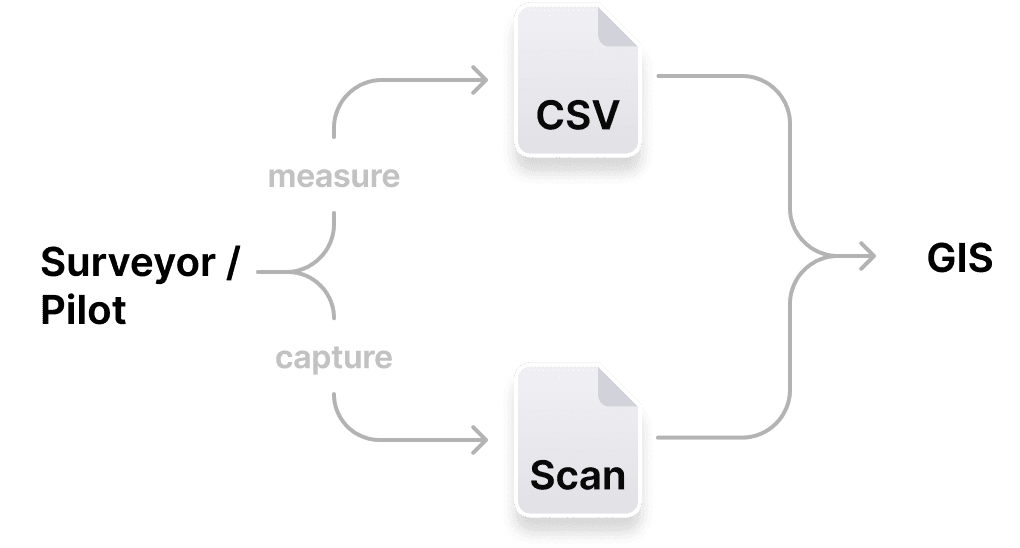
A complex multi-role workflow: GIS specialists create requests, managers review and approve them, and pilots or surveyors carry out the fieldwork
In the past, all this communication took place across a variety of platforms (email, Asana, Slack). Requests were created and checked manually.

Main view:
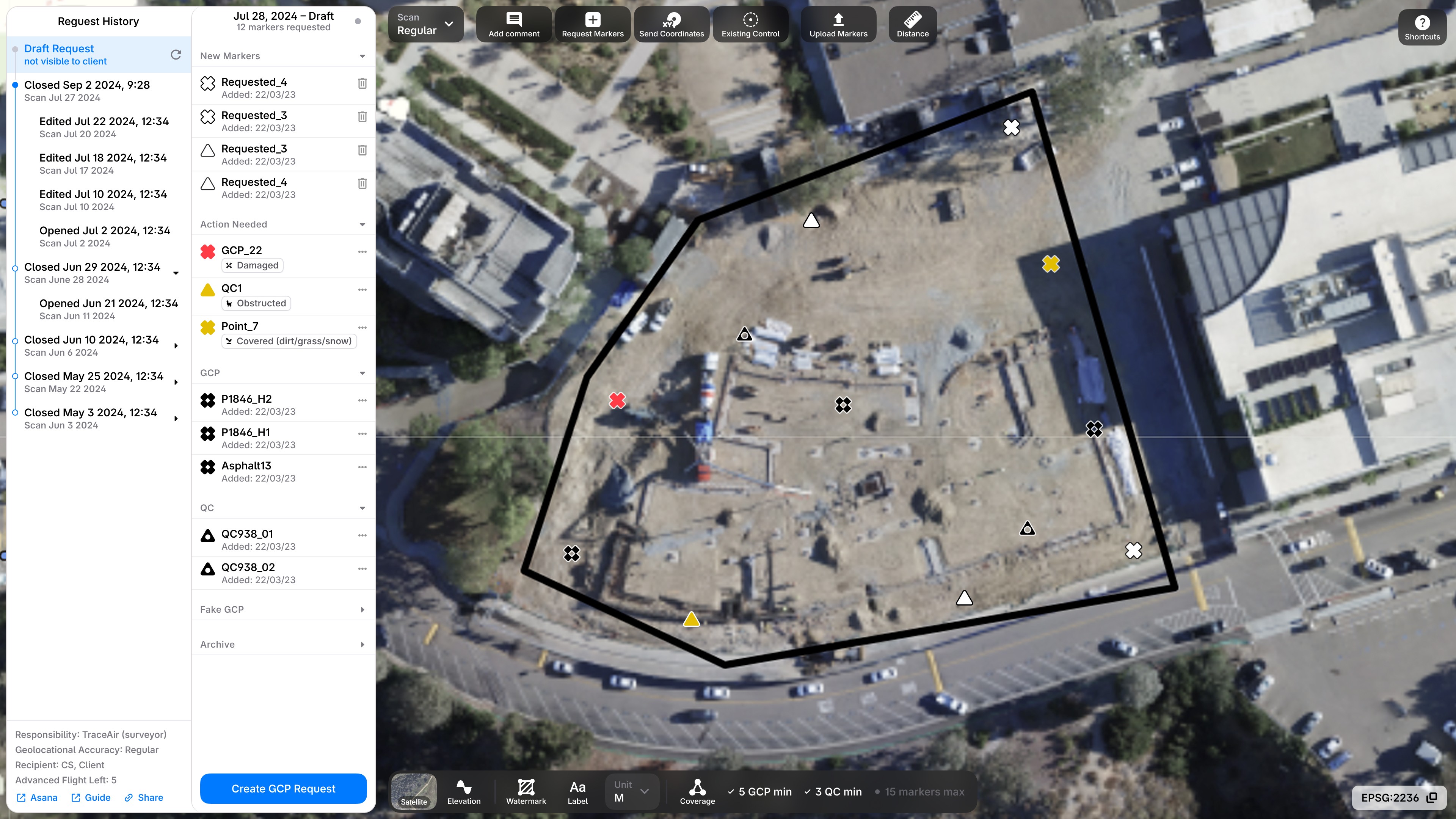
How are placement rules defined?
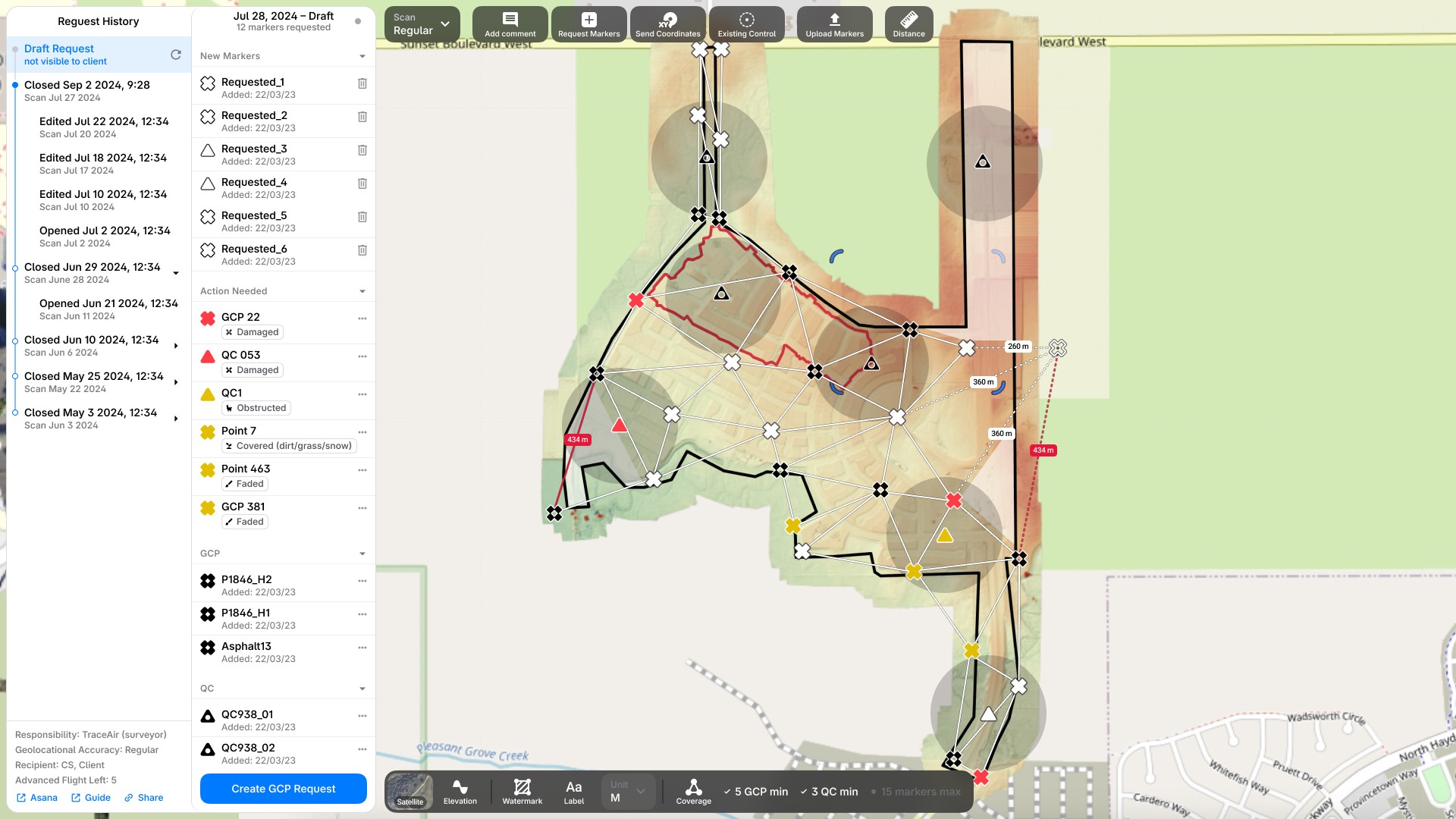
GCP Point network
Points are connected through triangulation (the GIS method). The network must provide full coverage of the surveyed area.
Quality Control radiuses
These points are used to verify accuracy. Each point has a defined radius of influence that must cover the entire surveyed area.
How to make requests clear for pilots?
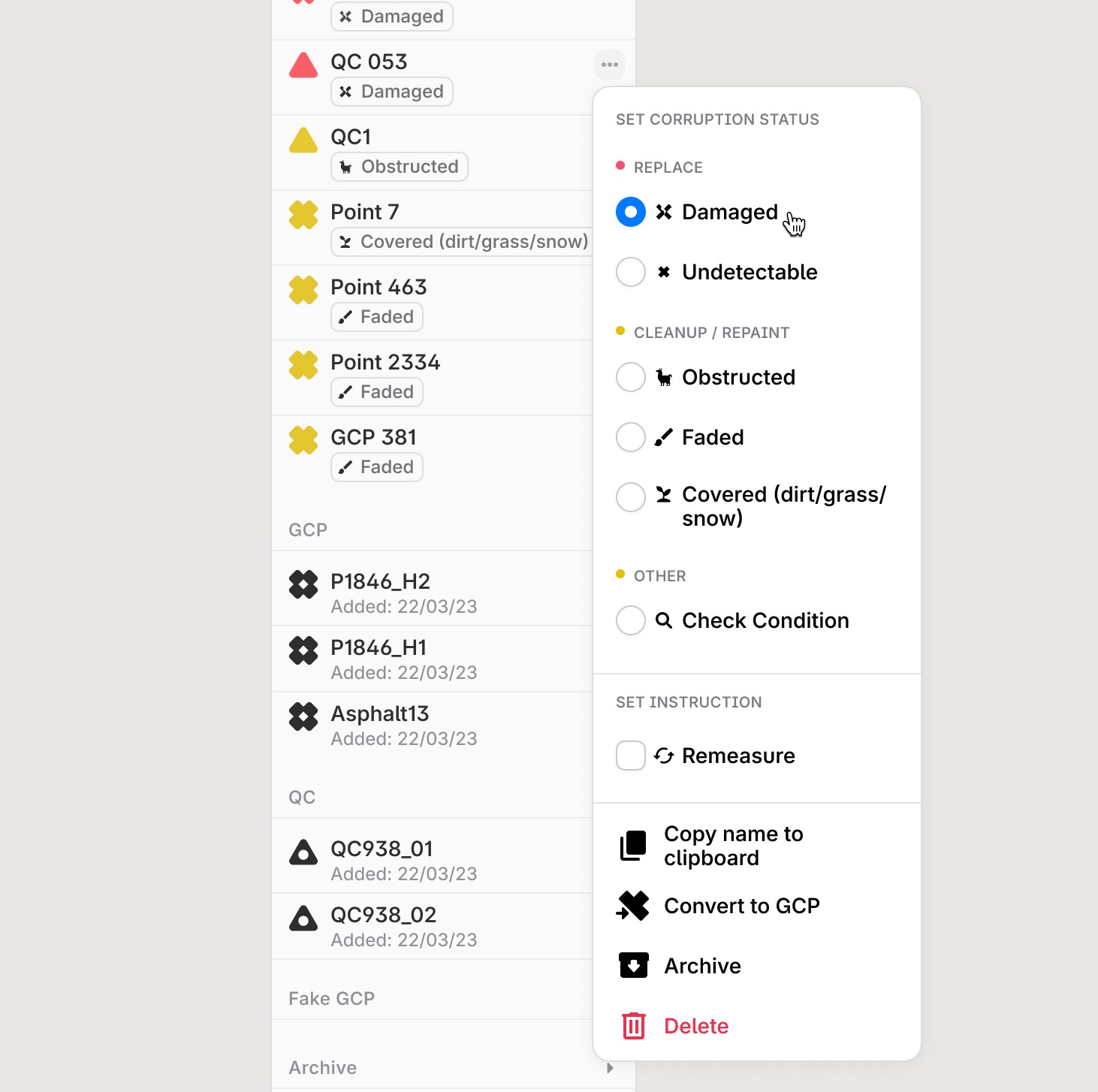
Set Point Status
Stable points can be corrupted in various ways. Setting the correct status helps the pilot determine what action is required.
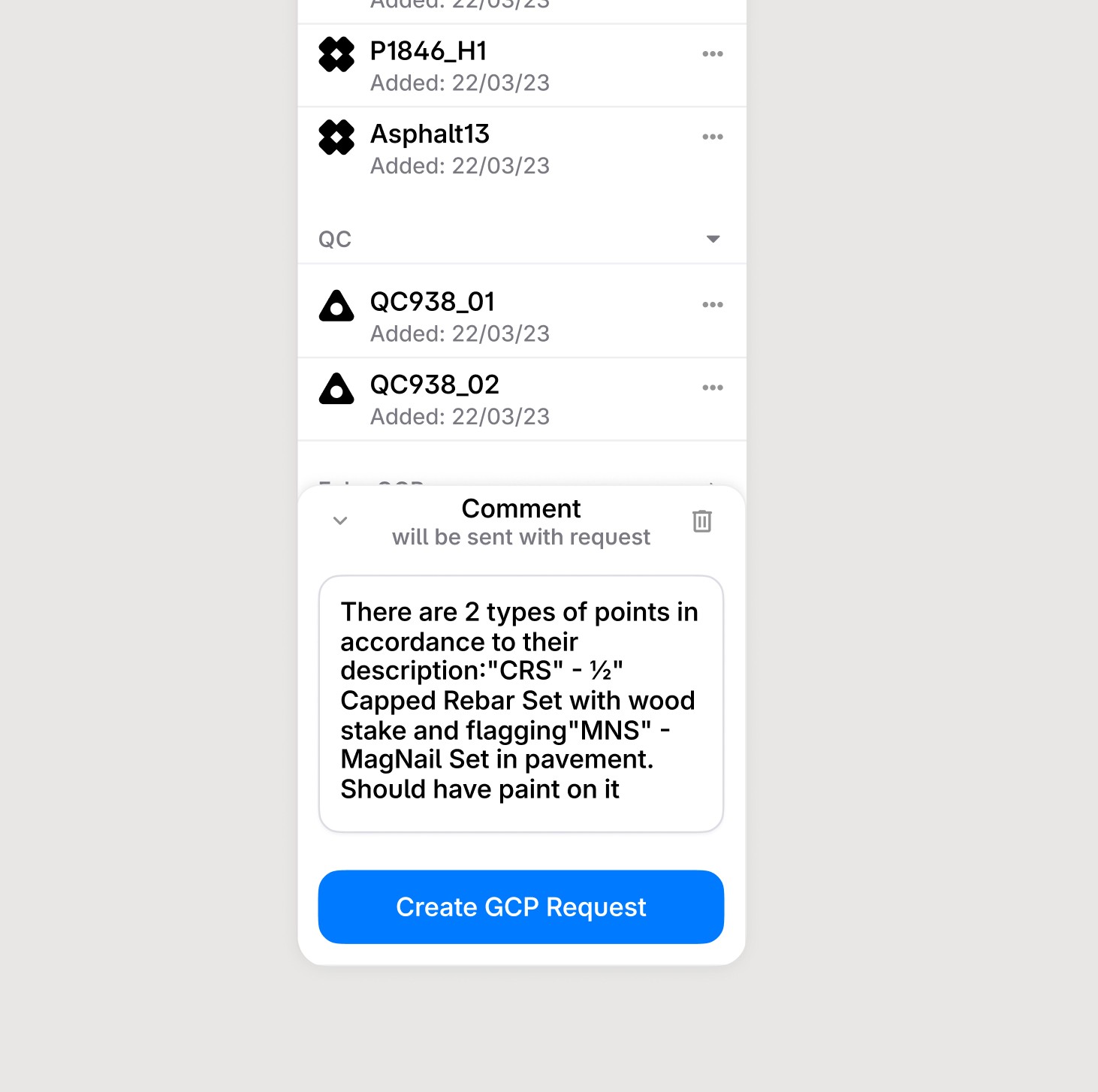
Add a Comment
For some requests, a status alone is not sufficient — additional context or clarification is needed.
What happens with request on-site?
On-site, the pilot installs new GCP markers and corrects existing ones, then submits a file with updated point coordinates.