Pilot app

TraceAir · 2025 · Solo designer

TraceAir · 2025 · Solo designer

What’s
the problem?

What’s the problem?

Pilots couldn't see everything they needed in one place. Missing info, unclear status, no context — and message to a manager every time something was unclear.

About app

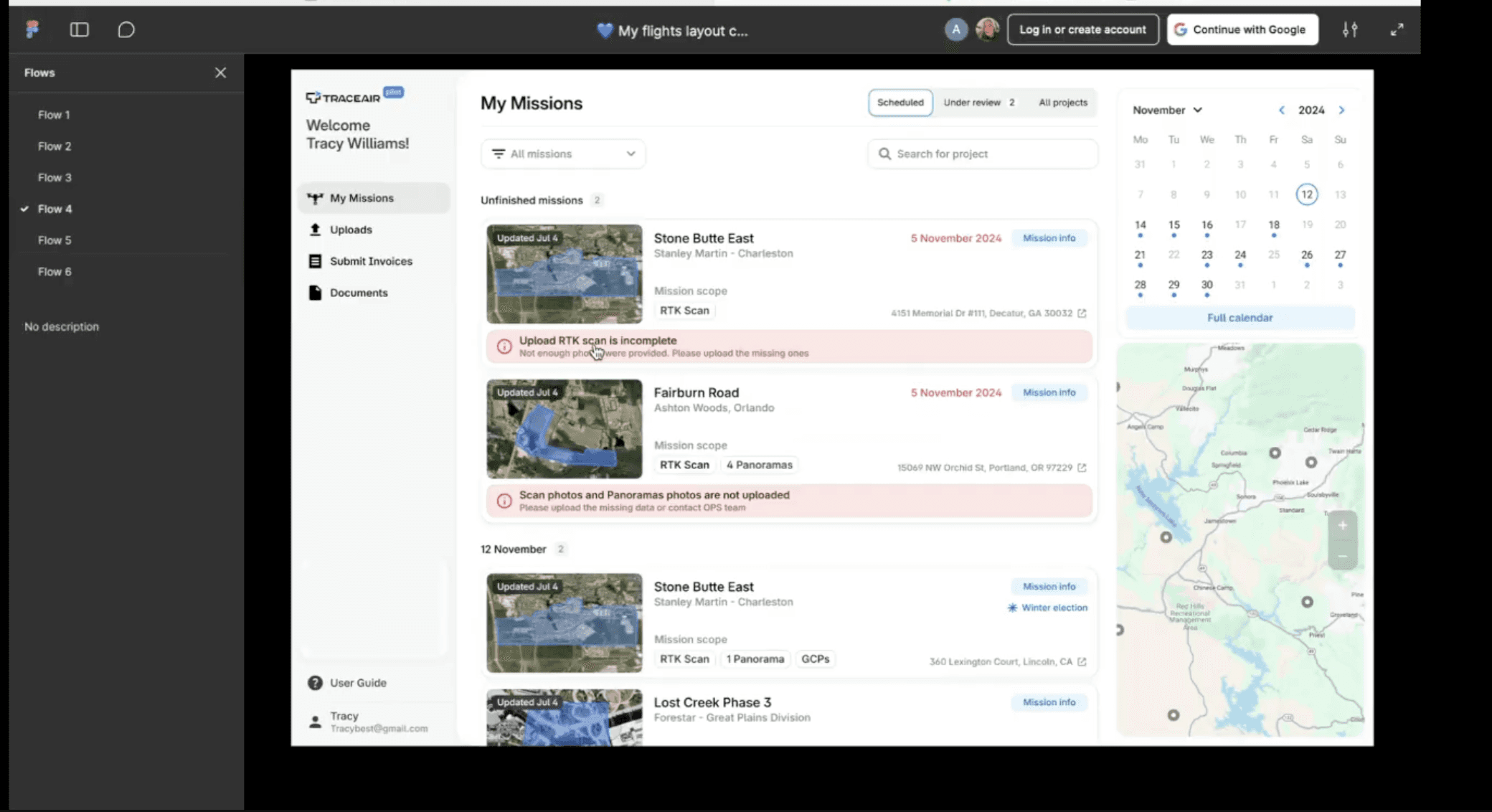
Pilot App is an internal tool used by drone pilots at TraceAir to manage their daily work: view flight schedules, track mission uploads, and access project documents.

About app

Pilot App is an internal tool used by drone pilots at TraceAir to manage their daily work: view flight schedules, track mission uploads, and access project documents.

User audience

Drone pilots who also do surveying work — capturing aerial scans, measuring ground control points, uploading data. Often working outdoors, on mobile.

User audience

Drone pilots who also do surveying work — capturing aerial scans, measuring ground control points, uploading data. Often working outdoors, on mobile.

What I did?

— Discovery: stakeholder interviews — JTBD mapping: 12 user jobs identified — UX/UI design: end-to-end flows, responsive (desktop + mobile) — Validation: 5 rounds of usability testing with real pilots before release

What I did?

— Discovery: stakeholder interviews — JTBD mapping: 12 user jobs identified — UX/UI design: end-to-end flows, responsive (desktop + mobile) — Validation: 5 rounds of usability testing with real pilots before release

Team

Product Manager Frontend Head of Design Stakeholders (managers) Pilot team ✈️ I was the only designer on the project.

Team

Product Manager Frontend Head of Design Stakeholders (managers) Pilot team ✈️ I was the only designer on the project.

What were
the results?

What were a results?

What were
a results?

Pilots stopped needing managers to get through their day. They handle everything themselves now. Fewer repeat flights also directly reduced per-flight costs — one of TraceAir's core operational metrics.

Зilots started using the app on-site — the mobile version has become much more convenient and easy to work with.

There are also fewer loading errors now. Pilots can clearly see errors and fix them till next flight

12% fewer

repeat flights due to errors

58% less

58% less

58%
less

time on pilot–manager back-and-forth

39% more

mobile usage

so, what does it look like?

Why were we confident it would work?

We used JTBD to map out everything pilots actually need to do — including the things they were skipping because the old app made them too painful.

Then I built prototypes and sat down with pilots to go through the main flows together.

We talked a lot — and it showed!
Here’s what we found:

Core Jobs

When planning my daily flights, I want to organize my missions and collect flight data, so I can avoid confusion and delays.

When I upload many missions at once, I want to see the progress on all uploads so I don't miss issues

When reviewing past flights, I want to analyze performance and errors, so I can improve future missions.

Main Features

Show mission on a map

Clear scope of the mission

Uploads history

View full mission info

Upload new scope of mission

Clear schedule

Show mission on a map

Clear scope of the mission

Uploads history

View full mission info

Upload new scope of mission

Clear schedule

What do the main functions look like?

What to do?

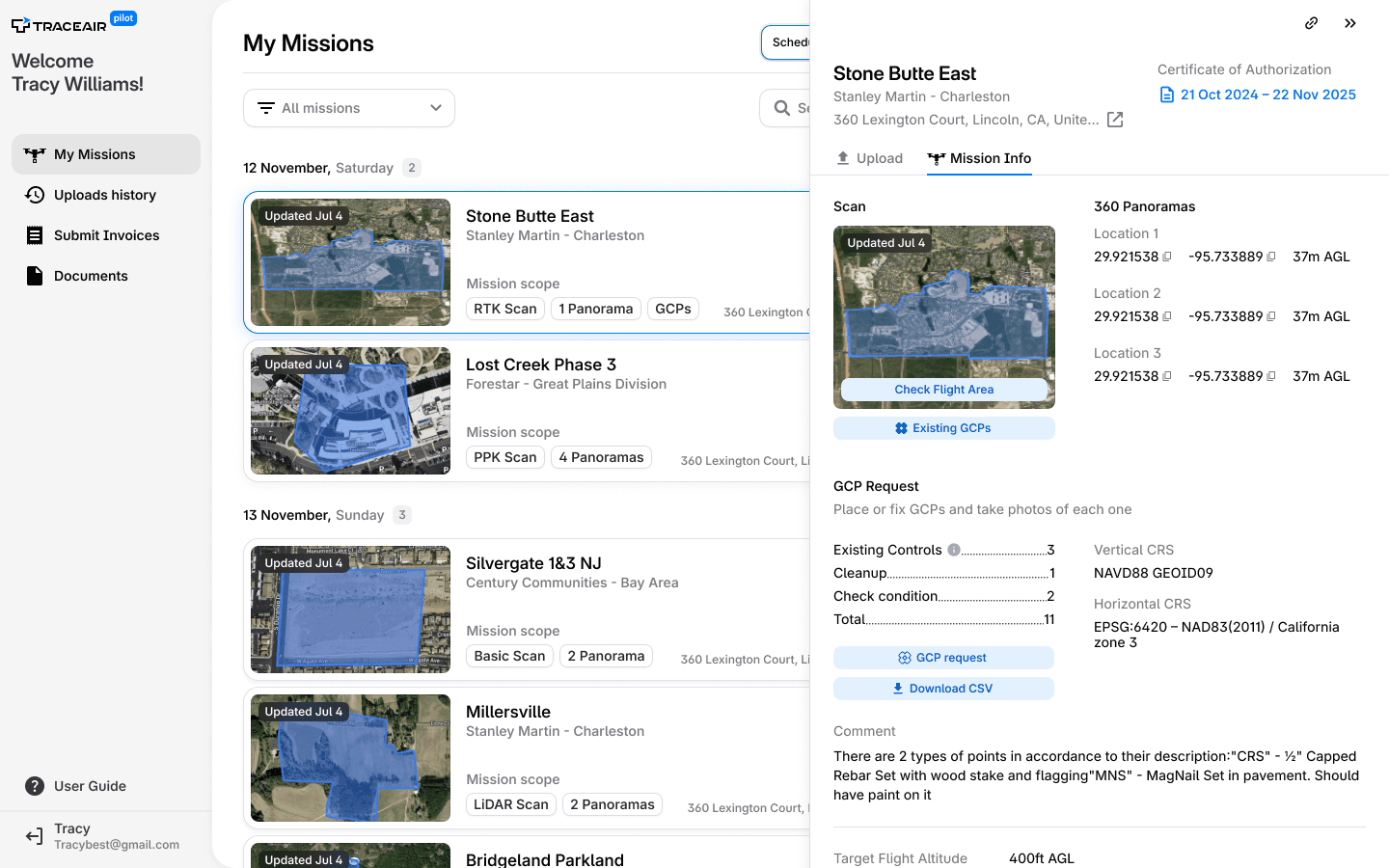
Check mission info

All project information is now available in one click. A pilot can check everything before the flight.

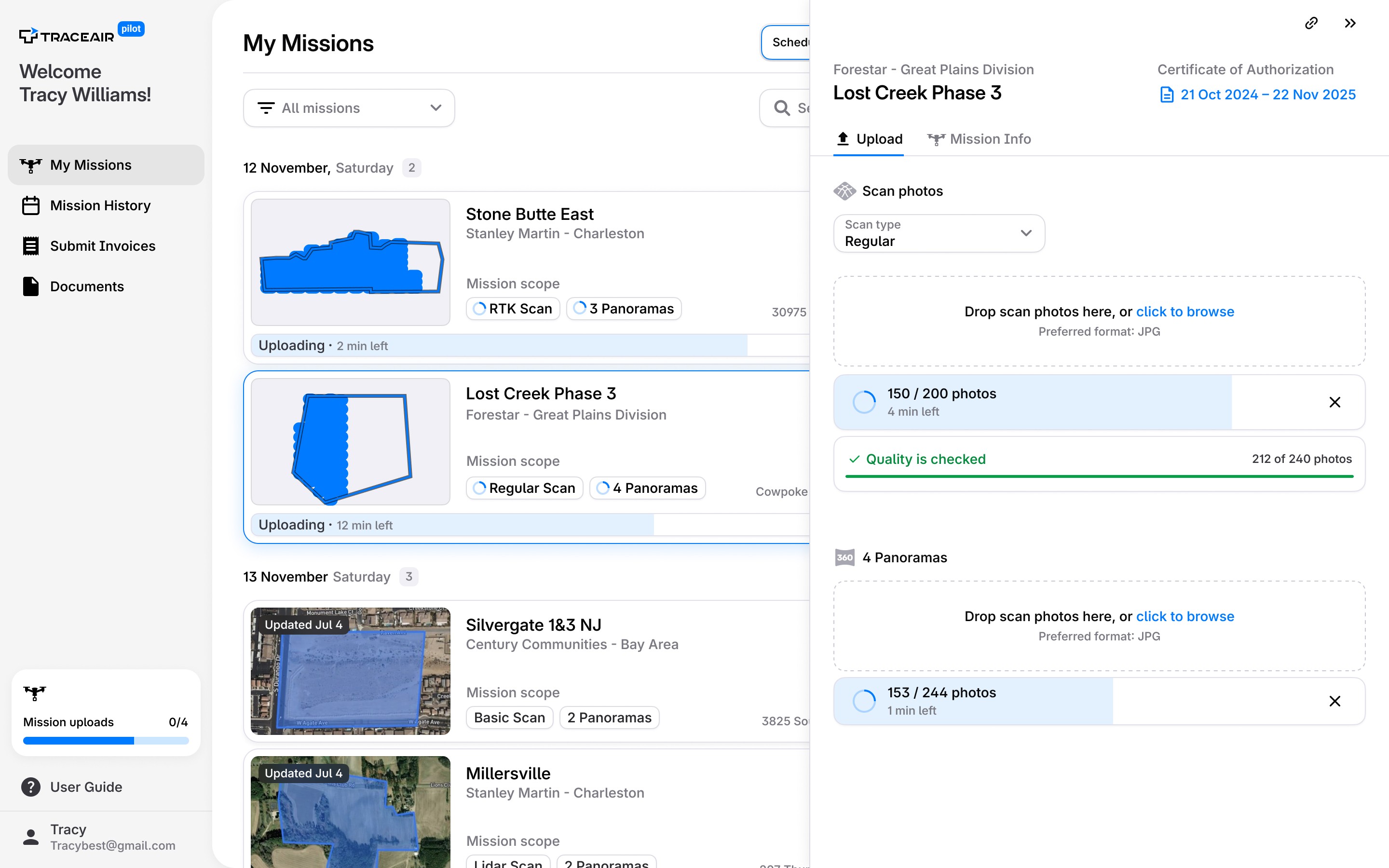
Uploading multiple missions at the same time

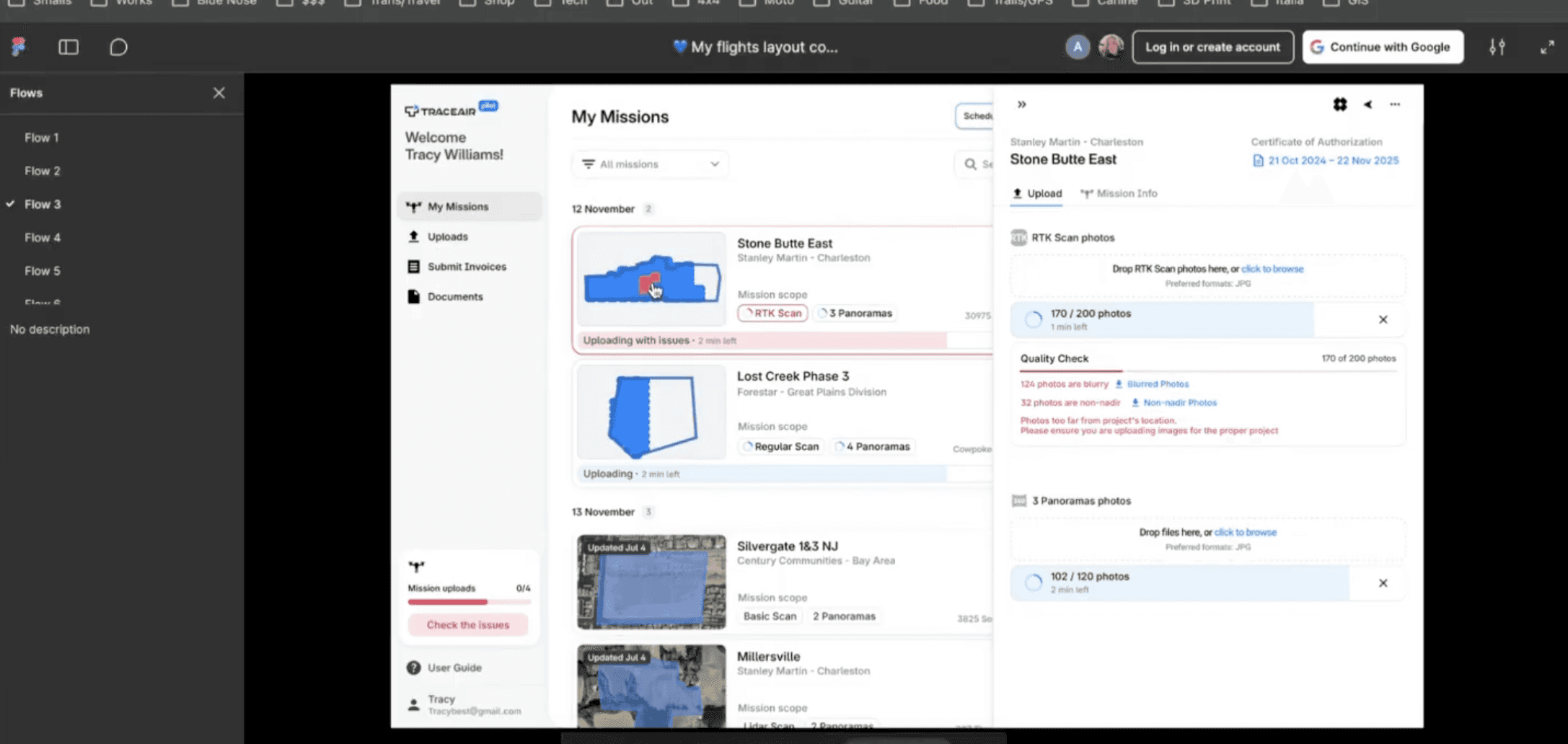
Pilots usually do 3-9 missions a day and load them all in one go. They need to make sure that everything is uploaded well

How to navigate here?

Use the map to navigate

Pilots plan routes to sites every day and try to group missions in the same area

Use the calendar to schedule

Pilots plan their week in advance. The calendar shows all upcoming missions in one view

How to use it in the field?

What do I see in the field?

On-site, pilots need quick access — which mission is this, what's the scope, what do I upload. Everything is one tap away.

Can I see overdue missions?

Overdue missions are flagged automatically. No need to remember or check manually.

What are the next steps?

After the release, we interviewed the pilots again and found out new details.

Pilots need more control

They want to observe the overall development of the sites: what is the current stage, what is the frequency of flights, whether the project has been completed or not.

Instructions for technological processes

Every year we ask pilots to do more complicated things, and they don't have enough instructions at their fingertips to refer to at the right time

Quick chat with the manager right in the Pilot app

Right now we use Telegram for communication, the chats there are very confusing. It would be very convenient for pilots to correspond on specific threads directly in the app.

Pilot's review

According to our latest polls, the average app score is 8.2!